
Mastering the production aspect of corporate events:
A comprehensive guide for PR managers and event professionals
In today’s corporate landscape, the quality of the video and audio production of your event is just as important as the content itself. Whether you’re hosting a product launch, annual conference, or shareholder meeting, professional audio-visual (AV) production can make the difference between an event that dazzles and one that falls flat. For PR managers and corporate event organisers, understanding the intricacies of AV production is essential to delivering a seamless, engaging, and memorable experience for all attendees—both in-person and remote.
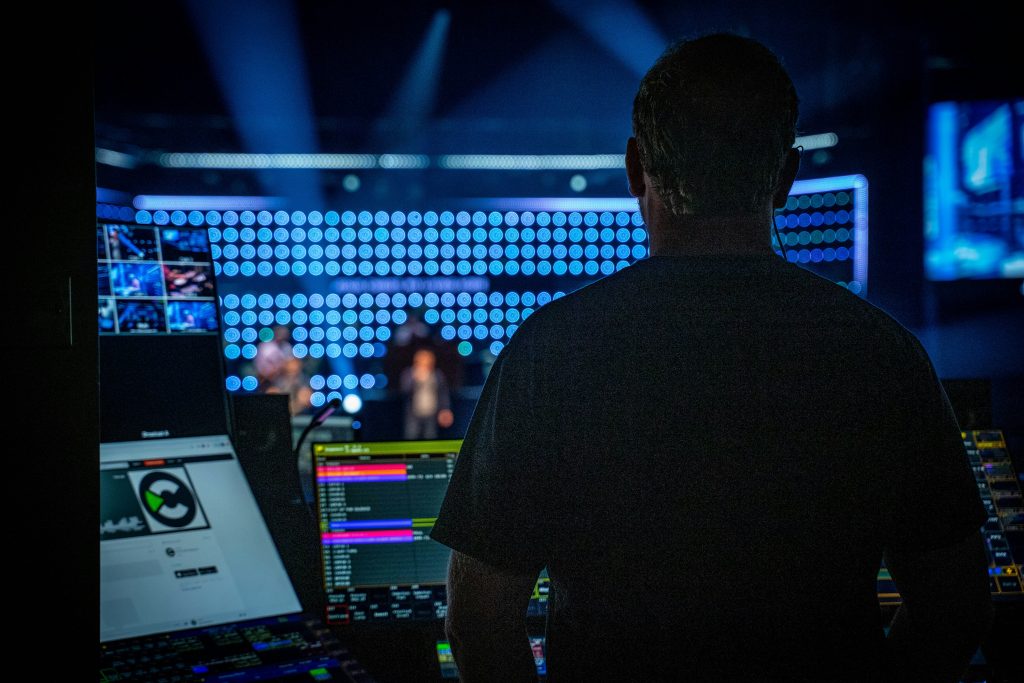
1. Start with Clear Objectives and a Production Brief
Before diving into technical details, clarify your event’s goals and audience. Are you aiming to inspire employees, inform stakeholders, or launch a new initiative? Your objectives will determine the tone, format and technical requirements of your AV setup. Draft a detailed production brief outlining:
Key messages and themes
Target audience (in-person, remote, or hybrid)
Types of content (presentations, panels, interviews, entertainment)
Required deliverables (live stream, highlight reels, social media clips)
This brief will serve as the foundation for all production planning and communication with your AV team.
2. Design a Robust Audio-Visual Plan
Multi-Camera Filming for Maximum Engagement
A single camera rarely does justice to a live corporate event. Multi-camera setups are now the industry standard, providing:
Wide shots of the stage and audience
Close-ups of speakers and panelists
Cutaways to audience reactions or branded visuals
Live mixing allows you to switch between angles in real time, creating a dynamic experience for both the live audience and remote viewers. Multi-camera footage also gives you more flexibility for post-event editing and promotional content.
Audio: The Unsung Hero of Event Production
Crystal-clear audio is non-negotiable. Invest in professional microphones—lapel mics for presenters, handhelds for Q&A, and ambient mics for audience reactions. Work with your AV team to:
Conduct sound checks and rehearsals
Position speakers and monitors for even coverage
Monitor audio levels throughout the event
Remember, poor audio quality can undermine even the most visually stunning event.
Lighting: Set the Stage for Success
Lighting does more than illuminate; it sets the mood, highlights key moments, and ensures your video looks professional. Consider:
Stage lighting for speakers and performers
Uplighting and accent lighting for branding and ambiance
Adjustable lighting for Q&A or interactive segments
Test your lighting setup in advance, and adjust for different times of day or venue conditions.
3. Enhance Presentations with Teleprompters and Visual Aids
For high-stakes speeches or executive presentations, teleprompters (autocue systems) are invaluable. They help speakers maintain eye contact and deliver their message confidently, reducing the risk of forgotten lines or awkward pauses. Work with experienced operators who can adjust the scroll speed in real time to match the speaker’s pace.
Complement teleprompters with large screens or projectors for slides, videos, and live feeds. Ensure all visual aids are formatted correctly and tested in advance.
4. Plan for Guest Interviews and On-the-Spot Content
Capturing interviews with key guests, executives, or thought leaders adds depth and authenticity to your event coverage. These interviews can be conducted in a dedicated area with controlled lighting and sound, and used for:
Post-event highlight reels
Social media snippets
Internal communications or PR outreach
Prepare a list of interviewees and questions in advance, and schedule time with your production team to capture these moments without disrupting the main event.
5. Enable Live Streaming for Wider Reach
Live streaming extends your event’s impact far beyond the venue walls. Whether you’re connecting with remote employees, external stakeholders, or a global audience, a professional live stream should offer:
High-definition video and audio
Multi-camera switching for dynamic coverage
Real-time graphics and branding overlays
Interactive features like live Q&A, polls, or chat
Make sure the shosem streaming platform is reliable and ensure you have backup internet connections and redundant recording systems to avoid disruptions.
A plaform or website to allow access only to authorised viewers might also be necessary.
6. Develop a Detailed Production Schedule and Run-of-Show
A successful event hinges on meticulous planning. Create a comprehensive run-of-show document that includes:
Timings for every segment (setup, rehearsals, presentations, breaks)
AV cues for lighting, sound, and video transitions
Contact details for all key personnel
Contingency plans for technical issues
Share this schedule with your AV team, presenters, and venue staff, and hold a technical rehearsal to iron out any issues before the event goes live.
7. Legal, Compliance, and Data Considerations
Don’t overlook the legal aspects of event production:
Permissions: Ensure you have the right to film and broadcast all participants. Obtain signed release forms from speakers, panelists, and interviewees.
Music and Media: Use licensed music and visuals, and credit all external content appropriately.
Data Privacy: If live streaming or recording attendees, comply with GDPR or other relevant data protection regulations, and inform participants in advance.
8. Work with Experienced AV Professionals
Partnering with a skilled AV production team is crucial. They bring technical expertise, creative input, and troubleshooting skills that can save the day when unexpected issues arise. Look for a team with experience in corporate events, a portfolio of similar projects, and a collaborative approach to planning and execution.
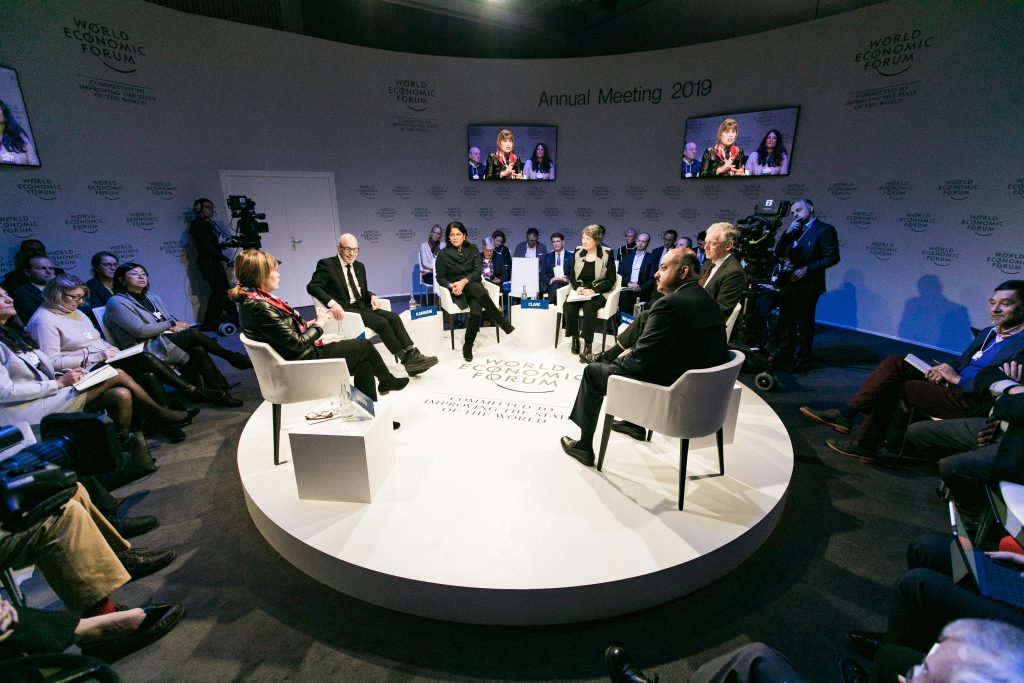
9. Maximizing Audience Interaction: Engaging Both Local and Remote Attendees
A truly impactful corporate event is not just about delivering information—it’s about fostering genuine engagement. Today’s AV technology offers a wealth of interactive tools that make it easy to connect with every attendee, whether they’re in the room or joining remotely.
Live Polling and Q&A Sessions
Incorporating live polling platforms such as Slido or Mentimeter allows you to gather instant feedback and opinions from your audience. Attendees can use their smartphones or laptops to respond to questions, participate in word clouds, or vote on key topics. Live Q&A features enable participants to submit questions in real time, with the option for others to upvote the most relevant ones. This ensures that both in-person and remote attendees have a voice, making the session more interactive and democratic.
Interactive Event Apps and Social Media Integration
Event-specific mobile apps can centralize engagement, offering live updates, personalized agendas, and networking opportunities. Integrating social media—such as displaying a live hashtag wall—encourages attendees to share their experiences and interact beyond the event space. This not only increases visibility but also builds a sense of community.
Gamification and Interactive Walls
Gamified elements like quizzes, challenges, or scavenger hunts can energize the audience and encourage participation. Interactive event walls—large touch-sensitive displays—allow attendees to engage with content, participate in games, or provide feedback in real time, making the event more memorable and immersive.
Breakout Rooms and Networking Spaces
For hybrid or virtual events, breakout rooms offer smaller, focused discussion spaces where participants can collaborate, brainstorm, or network in a more intimate setting. These can be scheduled during breaks or as part of specific agenda segments.
Live Streaming with Real-Time Engagement
Modern live streaming platforms support interactive features such as live chat, Q&A, and polls, ensuring remote participants remain active contributors rather than passive viewers. Facilitators can monitor and respond to remote questions, bridging the gap between physical and virtual audiences.
Teleprompters and Audience Prompts
For presenters, teleprompters can be used not only for speeches but also to display real-time audience questions or poll results, allowing speakers to react and adapt content on the fly. This creates a dynamic, responsive experience for everyone involved.
Accessibility and Personalization
Choose engagement tools that are accessible and user-friendly for all demographics, and consider offering a variety of interaction methods—text, visual, and verbal—to cater to different preferences. Tailoring content and questions to the audience makes each participant feel valued and involved.
10. Post-Event Production and Distribution
After the event, work with your AV team to:
Edit highlight reels and key moments for internal and external use
Distribute content to employees, stakeholders, and media
Archive footage for future reference or compliance
In summary:
Organising the production aspect of a corporate event is a complex but rewarding process. By focusing on clear objectives, robust AV planning, professional lighting and sound, advanced presentation tools, live streaming, and legal compliance, you can deliver an event that not only meets but exceeds expectations. Investing in professional production ensures your message is delivered with clarity, impact, and style—leaving a lasting impression on everyone involved.
Incorporating interactive elements like live polls, Q&A sessions, gamification, and networking spaces transforms your corporate event from a one-way presentation into a vibrant, two-way conversation. By leveraging the latest AV and digital tools, you can ensure every attendee—local or remote—feels connected, engaged, and invested in the event’s success